Tuesday, April 26, 2016

Wrap Up

Technology and Social Media 
To start off, I would like to say that overall, technology will always be an evolving thing that is in our lives and will be in many more generations to come. Technology and Social Media can be used in an efficient and effective manner if only used properly. As we grow older we grow wiser, so it is critical to build your Personal Learning Network (PLN). Some individuals do not even realize that before they graduate from college, their PLN has already been made up. Your digital footprint is made and is out there for the public and for the whole world to see. We must always be aware and cautious when it comes to posting anything on the media because once something is posted, it will never disappear. There is no way on stating that it will ever be taken away because it becomes permanent. 

Social-Tech.jpg (848×484)

Overall, the media can be used to show the important of what you make your life to be. This means, posting things that are positive feedback and giving great encouragement and not posting demeaning or hurtful things to others, helps to show the type of individual you are. It makes you look responsible and professional for when future employers decide to hire you. They are always watching. One single mistake used on the media can determine whether or not you get the job. Think responsibly when posting because you do not know who is on the other side watching you. Sounds scary, right? If you consider what I have told you so far I can guarantee you will be in good hands. 

To Get You Started
Taking a course about Exploring your digital portfolio really makes you sit and think about everything that goes on around the world in general with technology and makes you open your eyes to the benefits and non benefits of such things. Networking is definitely the most touched subject in most courses you would see. Although it does make it easier to connect with other individuals, it is difficult to keep up with everyone and everything.
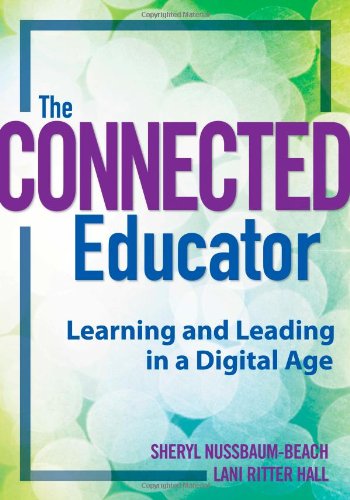
51T6+l90yuL.jpg (350×500)51LyzhEVWXL._SY344_BO1,204,203,200_.jpg (242×346)Using two important books in this course Untangling the Web and The Connected Educator, goes more in depth about how to use specific tools that can be helpful for school, you career, and even just to keep yourself organized. They give great insight on what tools are appropriate, effective, efficient, timely, and not so expensive at the same time. Throughout the course, I was not only able to receive great feedback through the chapters in the books needed for the course, but that we were also provided guest speakers to talk about their PLN and what are the benefits of using such tools and medias to stay connected with other members related to your field of study and staying up to date with what is going on in that field as well.  One thing that I know for sure that is a helpful hint when getting information from a job, or finding someone related to your field of study and gathering information on what interests you to follow up with that contacted professional within 24 hours. This is called the 24 hour rule. With the help of Astronaut Abby, if you meet someone in your related field of study and you have their business card, keep in contact with them 24 hours after you have met. Simply by saying, "I'm glad to meet you, and I hope that we can keep in touch", this could show potential employers how interested and determined you are to be a part of their team!

-Aipi_tp.jpeg (638×640)

Building Your PLN
One beneficial tool to use for developing your PLN is using Twitter or Linkedin. These are the most frequent and most recommended social medias to use to stay connected to those who share the same interests as you. Before this class, I was unaware of how Twitter has so much information and ways to communicate with certain professionals. It is a great tool to keep communication alive! I never thought that using social media in a way to connect with professionals in my field of study was even a thing at the time. As a Pre-Physical Therapy major, it helped me to stay up to date to what is going on in the health care profession. It makes me look into my profession more and more everyday. With Twitter, I started to find articles through Flipboard and/ or The New York Times and tweet about them so that other health professionals can see that their interests match mine. The whole Twitter experience with others re-tweeting you and favoring your tweets makes it more exciting to use because I know that I am connecting to these health professionals.  

Here is my Twitter Feed:
You can see how active I have become on Twitter

With the pleasure of having Robyn Hrivnatz, she gave great insight on using Linkedin. Using this website is a great way for future employers to get to notice you. Though when using Linkedin, Robyn stated that it should not look like a resume. Why? Because it is simply a summary of who you are. Build yourself a personality and show others, especially future employers, what you are interested in. It is also a great way on building your PLN. Within the website, it is their to show your professionalism with all of your accomplishments, education, and professional interests, publish your knowledge, apply for intended jobs in your field of study, hosts your letters of recommendations, as well as learning new things.

What I would take from this is to think responsibly and professionally when posting on social networks. I must say overall this class has taught me to become more aware of all technologies and special setting on any accounts that are needed. I have become more active in using Twitter, especially in what I have mentioned earlier, I have become closer and more engaged into what interests not only myself but to others as well. It has definitely been a learning experience and I know I will continue this further especially when it comes down to interning and eventually getting the job!


Monday, April 18, 2016

What the Future Holds

Conducting a Circuit
Have you ever been in class and was given something without direction and wondered how you were going to manage to make it work? Lucky for you, I have. We were set up in teams of 5 to 6 people and the only hint we received was to watch a short video about explaining an electrical circuit. It is an unbroken path along which an electrical current exists or is intended or able to flow. Electricity follows a path of least resistance or short circuits.

I was a little confused at first because we were given a kit and in the kit was a circuit board with several different colored wires inside of it. We were asked to bring few materials to class along with a laptop if possible. We were given direction to at least go onto the Frogger, which is a gaming website.

Why we were given the video, the circuit board with cables, materials such as:
  • Aluminum foil
  • Bananas 
  • Card board
  • Sliced celery
  • Playdoh
and a laptop because we were expected to complete the circuit with these specific tools. We first connected our cables to several different objects such as a banana, aluminum foil, and playdoh. We needed to figure out how to get out objects to process through the frog on the computer. We first began to think that the banana was the way on getting the frog to move. It did, however it did not move in the way we had first expected it to. We began to connect specific wires to the banana and coordinating them to either moving front, back, left, and right and thought maybe moving the banana in those directions will help the frog move. Well, we were all too focused on the banana because it was just not working.


We began to experiment with the help of our professor on paper. What he had done to help us try and complete the circuit was that he drew 4 dots onto the paper with the lead pencil. With that you were able to connect one of the cables to the led. As a group we realized that we needed to connect the source with the cables to other sources with one of the cables being the ground state (or earth).
We then color coordinated the objects in specific directions with the blue cable attached to aluminum foil (front), the green cable attached to another piece of aluminum foil (back), the gray cable attached to the banana (left), the red cable attached to the playdoh (right), and lastly, the yellow cable was the ground (or earth). Our conclusion was that the yellow cable was the clicker in which when we hit those specific materials indicated which way the frog moved.

It was definitely a challenge at first, but the whole purpose of this exercise was team collaboration. Our professor gave us this exercise to see how we all work together on being able to complete the circuit and because in the real world we will have employers who want us to work as a team to come up with a solution to any given problem without given direction. It is up to us to be able to work together and get the job done. In life we are going to have to work for what we need to accomplish and with that said our team was able to conduct the game by completing the circuit together.

Marketing and Educator Programs

The other day we had a guest speaker and although she is not into my field of study she was able to give great insight into how the real world works. Robyn Hrivnatz works at Microsoft and had worked as a school teacher for 16 consecutive years where her focus was on the Primary curriculum for teachers in the United States.

1022_Microsoft.jpg (2000×1075)
She had given insight about how social media changed within a few years and how it began to play a huge role in her everyday life because she connected with those who were also interested in what she was interested in as well. Using social media is a source of understanding the audience and using it for professional reasons and getting advice in the moment of using it. She was able to use social media to connect to what was going on in the classroom via Facebook and Twitter. Understanding the audience is learning, and understanding the competition on these medias such as what is being launched, what is new, and current gives you a clear insight of that specific profession you are interested in. It is a place to connect with others. While working for Microsoft, there are several divisions to consider. There is always room for error so it is critical to have someone proof read anything being posted about Microsoft.

While using these medias anytime while posting, it is critical that they disclose that they work for Microsoft in case someone is following them that they want to make sure they are not disclosing anything inappropriate that could risk their job. Robyn had explained about using social media to gain respect and increase the fans especially with those who love Xbox. Those who begin to tweet about Xbox and tag Xbox via Twitter, they will acknowledge them and respond back to them.

Why did Robyn transition from Education to working at Microsoft? Well, she double majored in Computer Science because there is limited technology in the classroom. She loves to learn as much information about it as she can because you can tap online about what you are interested in and it allows her to be able to work with other teachers and others in the classroom so others can see what it is like. She also mentioned a few of her favorite pieces of technology, which is Skype or google hangouts because you receive easy connections, it is simple and easy to get started. Onenote also struck out to her the most because she is able to receive true collaboration within different schedules. Robyn pointed out a great fact, that not everyone works the same throughout the day. So, using this tool helps the students receive instant feedback. They are able to get the information they need right away. There is no delay on waiting to get back to them. One thing that I know for sure that she loves and misses the classroom experience because within the classroom you are able to build relationships and bonds with the students. It does make a difference, however she is able to schedule visits in local schools to be able to meet with the students to get the classroom experiences whenever she can.

LinkedIn_Marketing_Strategy.png (640×300)

Overall, a few tips she gave us as far as social media is concerned is the balance between being professional and being yourself. Anything you put on their is public and permanent. You want to search for hashtags in your field and build conversations based off of them. You have to stay connected so others will notice you. Take risks and comment on posts that interest you. Linkedin is also a great way for future employers to get to notice you. Though when using Linkedin, it should not look like a resume. It is there to see a summary of who you are. Build yourself a personality and show what you are interested in.

The Connected Educator
network1.png (475×390)

With technology advancing every year, we are learning how to adapt to new changes. Social media will also be evolving through our times and generations to come. We will begin to have to medias similar to Facebook, Twitter, Instagram, etc. Though things to consider while we are learning everyday, is to remember these medias are tools to stay connected. Finding people who share the same interests as you, exchanging ideas, sharing imaginations, insights, and opinions. Anything on the web has become a great learning resource when you use it for the right reasons of course. You can begin to add to the world's understanding and advocate for positive changes in the world. Learning is about attaching new knowledge to existing understandings. We can use these medias to chase our passions, empowering them to find our voices online and off, and creating a threat and stress free environment online as well. With all this you begin creating your personal learning network which would help you in the long run for future employers.

Tuesday, April 5, 2016

Social Networking Tools

Tools to Integrate for Social Media


Isn't it amazing how much technology has advanced throughout the years? 


ifttt-logo.png (600×300)

Well get a hold of this. If this than that is a website that you can use to create recipes to send alerts through several social media links from your phone to the weather app, blogger and so much more that you wouldn't even imagine of. According to Taylor Pipes, it is a service that allows you to create powerful connections with one simple statement a.k.a. if this than that. She goes much in depth about how Evernote is integrated into this website. Though there are several others, if you happen to use Evernote, you will come to find out that you could link it to your twitter or gmail accounts.  As I used the website and tried to get myself familiarized with it and its functions, I was able to get my twitter account linked to my blogger account so that anytime I post or retweet, it sends a notification to my blogger account to embed my tweets. I think this is a very interesting tool to use. However, you do not have to use the two that I have used. In fact, you could link appliances to your android or apple device. Cool right? Well, it can send notifications for example on when the dryer machine is done drying the load onto your phone (if it is compatible that is). That blew my mind when I first found that out. Taylor Martin gave some insight to some recipes home owners should know, especially the dryer link! She brought up a great point. With technology advancing everyday, we not only will have the smart car, but a smart home as well. One that I thought stood out to me the most was if the weather condition changes to rain or snow than the color of the light bulbs will change a different color. Brilliant!


converted-buffer.jpg (610×298)Anyway, Buffer is also another website where you could use this to schedule your tweets. It is more beneficial if you have tweet deck. It is a great tool for marketing because it gives you decant times and shows you when is the best time to start your tweeting experience. What I mean by this is that, it gives you the best opportunity to see who your twitter followers are mostly active and when is the best time to have your followers get their eyes on your tweet. I thought this could benefit not only marketing, but for all majors as well because you can use this to help with your personal learning network. Most of the features on this website are free, but if you prefer to upgrade and add different features there are additional charges that will apply.


mediabistros-paper.li_.jpg (1038×665)
Lastly, the last thing I would like to talk to you about as far as the media is called Paper.li. I really enjoy this website and actually prefer it for those who are trying to get their tweets eyed up. I say this because this website aggregates all sources and the content of the sources. According to Tim Lenahan you can establish some real authority in your area of expertise using this website tool. I began by simply typing in my intended major, then I began to fix the settings where it could link up to my twitter account. This helps me to post daily or weekly onto twitter, depending on the frequency I would like for it to post for me. This gives me all information about my major that is current and reliable information. It pulls the best tweets of the day and makes it into a newspaper format which is all automatic which I thought was a helpful tool to use. Lenahan also mentioned how it takes your links posted onto your social networks and bring them together into an organized online newspaper for you. Organization is key. So this is very helpful to show that you can be responsible and organized even on the media.


Talk, Text, and Learn Together


51LyzhEVWXL._SY344_BO1,204,203,200_.jpg (242×346)Skype3.jpg (442×301)In Untangling The Web, Todays Meet is a tool used to help teachers create a private channel that can be used as a collaborative means for discussing and documenting classroom interactions. It is simple, yet quick and efficient tool to use for connecting to other individuals. With Skype, you can do video calls, message, and send a voice chat for communication. It was known to be one of the earliest video chat technology to gain mass adoption and is now a service that millions of individuals use to connect with other individuals on a daily basis. I used to have a skype account, I say used to because I have not really sought the time to sit in front of a video chat all day. However, it is a great way for not only long distant calls for classes and businesses, but could be used for personal uses and see family members from across the country. There are several other types of tools that are useful in this manner. With Kidblog, it is a simple tool to help share thoughts, creations, and opinions with the world through a series of posts published in reverse chronological order. It is not only a blogging tool designed for in class use, but used for allowing teachers establish a safe space for students to share online that can be moderated to your personal level of comfort in accordance with the mandates of the schools district or state at that manner. Lastly, Edmodo is one of the first social networks designed exclusively for schools, which I found pretty interesting. It has simply developed a uniquely focused social suite of tools for educators. Which as you can see here is a great tool for all of you Education Majors.